Screenshot, Annotate &
Extract Text in Seconds
Capture any part of your screen, add annotations, and instantly extract text with OCR. All your screenshots organized in one place.
Everything You Need to Capture & Edit
Three capture modes, powerful annotation tools, and instant OCR text extraction.
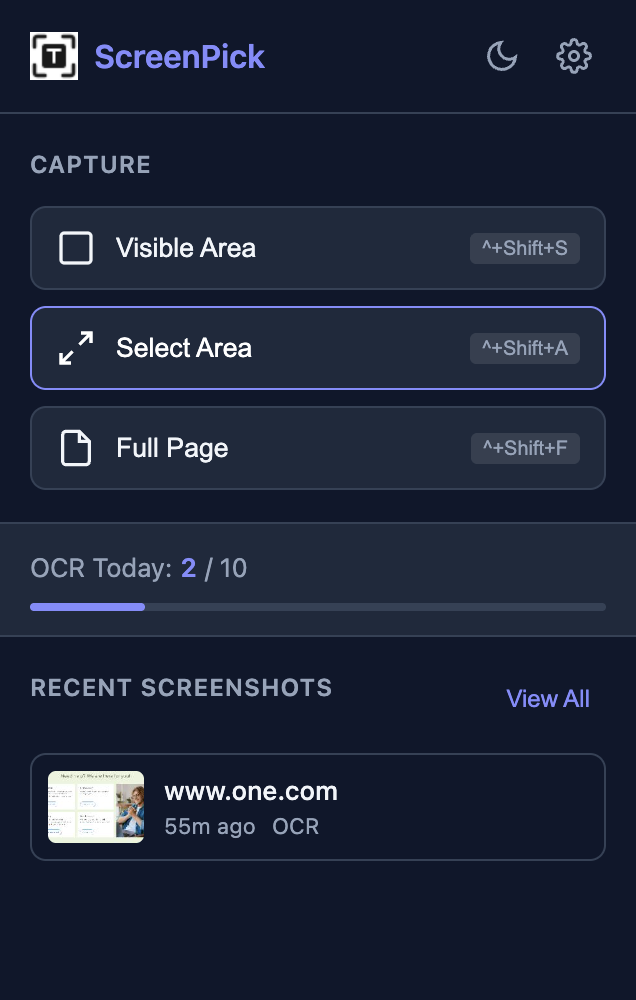
Three Ways to Capture
Visible Area
Capture what you see on screen instantly
Alt+Shift+SSelection Mode
Click and drag to capture any area
Alt+Shift+AFull Page
Capture entire scrollable pages
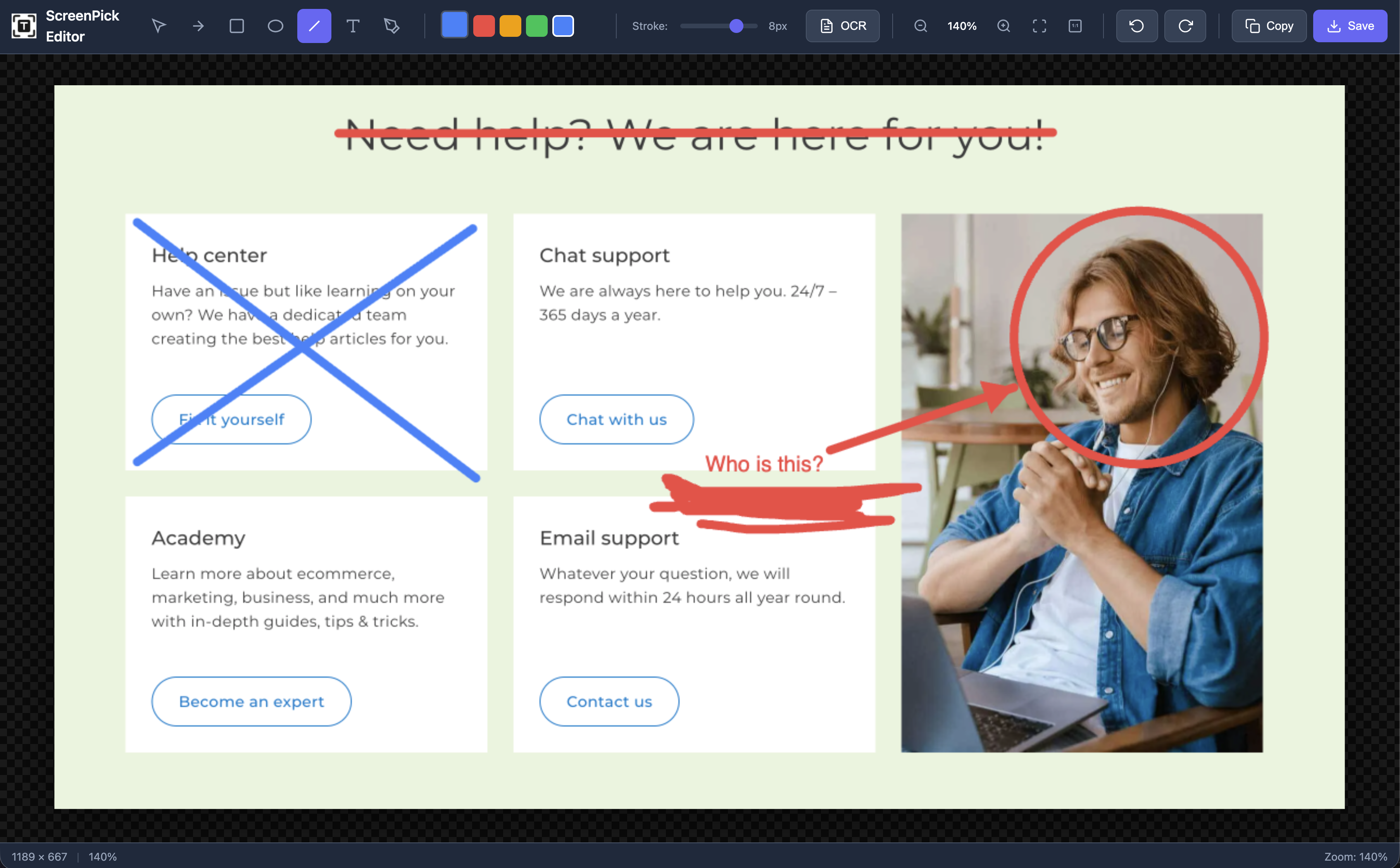
Alt+Shift+FPowerful Annotation Editor
Add arrows, shapes, text, and freehand drawings to your screenshots. Customize colors and stroke width, then save or copy with one click.
Canvas Area
OCR Text Extraction
Extract text from any screenshot with powerful OCR. Supports multiple languages with automatic detection.
Smart Gallery
All screenshots organized in one place. Search by extracted text, URL, or page title.
Keyboard Shortcuts
Capture screenshots instantly without opening the popup. Customizable shortcuts for power users.
Quick Copy & Download
Copy screenshots to clipboard or download with one click. Share instantly anywhere.
Dark Mode
Full dark theme support across the extension. Easy on the eyes during night sessions.
Customizable Settings
Choose image format, quality, default colors, and annotation preferences.
How It Works
From capture to sharing in seconds. No complicated setup required.
Capture
Use keyboard shortcuts or click the extension icon to capture visible area, selection, or full page.
Annotate
Add arrows, shapes, text, and drawings. Customize colors and line width to highlight what matters.
Extract Text
Click OCR to extract text from your screenshot. Supports multiple languages automatically.
Organize & Share
Find screenshots by searching OCR text. Copy to clipboard or download instantly.
What's Next
We're constantly improving ScreenPick. Here's what we're working on next.
Local AI OCR
Offline text extraction powered by local AI models. No internet required.
Cloud Sync
Sync screenshots across devices. Access your library from anywhere.
Screen Recording
Record screen activity with audio. Create tutorials and demos.
Batch OCR
Extract text from multiple screenshots at once.
Smart Filters
Apply blur, highlights, and effects to your screenshots.
Browser Integration
Deep integration with popular productivity tools and apps.
Have a feature request? We'd love to hear from you!
Share your ideasReady to Capture Smarter?
Join thousands of users who capture, annotate, and extract text with ScreenPick. Free forever, no account required.
Add to Chrome - It's FreeWorks with Chrome, Edge, Brave, and other Chromium browsers